Website guts.
Archived, 2022–2025. This describes the previous version of this site, which ran on a Raspberry Pi at home until it was retired. None of it is true of the site you’re reading now — for that, see This Website, On AWS. It’s kept because the trade-offs are still worth reading about, and because I was fond of it.
In a far away bedroom, the gears of this website are spun by a Raspberry Pi and an ethernet cable. It mightily runs the following processes as long as I have power and internet:
nginx
nginx is our “web server”. It is the front line for handling incoming traffic whenever someone requests davidschneiderprojects.com or www.davidschneiderprojects.com. It will also redirect any alternate domains like dsproj.com or davidtschneider.com so that we can just focus on the final endpoint of https://davidschneiderprojects.com. Since we want all our connections encrypted, any time somebody requests a “http://” URL, we use nginx to forward the request through to a secure port handling https traffic instead.
Similar to how we can decide to intercept a request based on its URL, we can also use nginx to detect if a client is requesting static files and serve them outside our actual app. Since nginx is much faster than Python, we save time by fulfilling the simple request upfront.
Finally, nginx is also used here as a “reverse proxy” for our actual app hosted on the local computer. You likely may be familiar with using a “forward” ie. regular proxy like a VPN, where you send your original traffic through a third party to obscure your original request. In this case, we are obscuring the Raspberry Pi, since we don’t want it directly interacting will all the potential nasties out there. Unfortunately, they’re still going to try — the web server helps with that too. Nginx is specifically well equipped to handle DDOS attempts and other cyber bullying because it doesn’t need to create a new thread for each client request.
Waitress
Waitress is our “middleware”. It is a WSGI (web server gateway interface). This is a fancy way of saying it sits in the middle as a way of translating our web server (nginx), which speaks internet, into the Python object that our actual application uses. There are various implentations of the WSGI standard you can use to serve your application. For my purposes I chose Waitress because:
- Simple to use/configure. I wish I was popular enough to need more.
- Written entirely in Python. So I can pretend like I would be able to debug or fork it.
By running our WSGI, we expose to the web server that we are running an application able to accept requests on whichever port we choose to bind Waitress to. If we have nginx configured as a reverse proxy and provide the appropriate parameters in our nginx.conf file, we complete the chain and valid requests can be processed by Flask.
Flask
Flask is our actual (Python) “application”. The full scope of using let alone mastering is beyond this site. For hosting this website I basically just use it as a way to dynamically collate and render any templates and routing schemes requires by the app. We can match the template to the request passed by Waitress, do whatever fancy footwork we’d like Python to do, then pass back a new version of our page with whatever (valid) content our internet friend has asked for.
DNSExit listener
The World Wide Web (“Club Dub”) is actually a pretty crowded place. Each device on my network would love to get a spot, but its maxed out of names (IPv4 addresses) it can handle at this point. The internet wizards created a new standard a while back that essentially allows for a lot more addresses by adding more detail (IPv6), but that hasn’t really caught on. So, only my router gets an actual address in the context of the outside world. It handles the traffic for my devices and then passes it back to them.
Furthermore, since I am cheap to pay for my own static IPv4, Comcast (my ISP) may periodically kick me off the external IP my router. This is why we use DNSExit. It runs constantly in the background, polling the internet to see how the external IP is being assigned to the router. If it changes, the name servers that resolve my external IP to the domains running on our web server are notified so a stranger can still find their way here. This synchronization is known as DDNS (Dynamic Domain Name System).
Jinja2
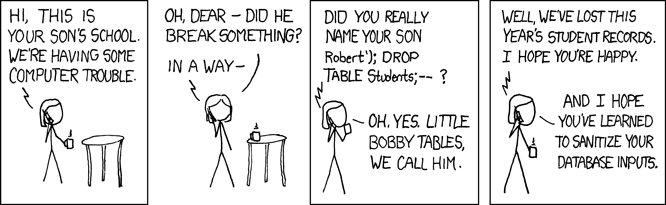
Bobby Tables has his grubby little fingers all over this series of tubes and we need a way to stomp on them. Luckily the good people at Jinja have handled all the gotchas we would likely forget so we can just plug and play with our HTML/CSS/Sass. I don’t profess to be a security expert, so I’ll let smarter people explain it but basically if you don’t use this you are probably at risk for (amongst other things) a SQL injection attack where people get to run code directly against your app and do mean things to it. It also lets us bake inheritance into our templates, which is a real winner for everybody’s sanity. This is not really its own “process” in the sense that it is built into the Flask app, but it’s good to call out as a vital dependency.
With these tools set up, we can run a website for $1/mo (renting the domain), ignoring the (negligible) cost of electricity to power the Raspberry Pi and assuming you are already paying for internet. Plus, we have total control and transparency as to its operation. Congratulations, you have now rolled your own solution! As per usual, nobody else cares, but I’m proud of you.